Tool pages create a special advertising challenge. The page may need global AdSense verification scripts, but visible ads should not damage the core workflow. A metadata generator, calculator, converter, or editor should remain usable even when advertising is enabled elsewhere on the site.
The policy goal is clarity. Scripts, cookies, analytics, and advertising behavior should be described honestly. Visible ad placements should be managed so they do not block controls, confuse users, or make the site look like it exists only for ads.
Reproducible review note
How we checked this guide
- Evidence type
- Production site audit · September 4, 2026
- Scope
- The route allowlist, query/fragment safeguards, representative production routes, and excluded task/legal/error surfaces.
- Method
- We classified routes by primary task and verified that the ad loader is limited to long-form editorial pages while generator, index, legal, contact, error, and parameterized variants remain excluded.
- What the check showed
- The route allowlist is easier to test than a scattered blocklist and keeps advertising code away from controls and thin operational surfaces.
- Boundary
- This verifies site code, not approval or final Auto Ads placement. Live ad behavior must be reviewed again after Google begins serving ads.
Reviewed by ToolHub Metadata Editorial. The review date records a substantive content or verification change.
Key takeaways
- Global AdSense scripts can be present for account setup, but visible placements should be managed deliberately.
- Policy pages should describe analytics, fonts, measurement scripts, and ad services accurately.
- Tool controls should never be disguised as ads, and ads should never be disguised as tool output.
- Content pages are usually better ad candidates than core utility workflows.
Separate scripts from placements
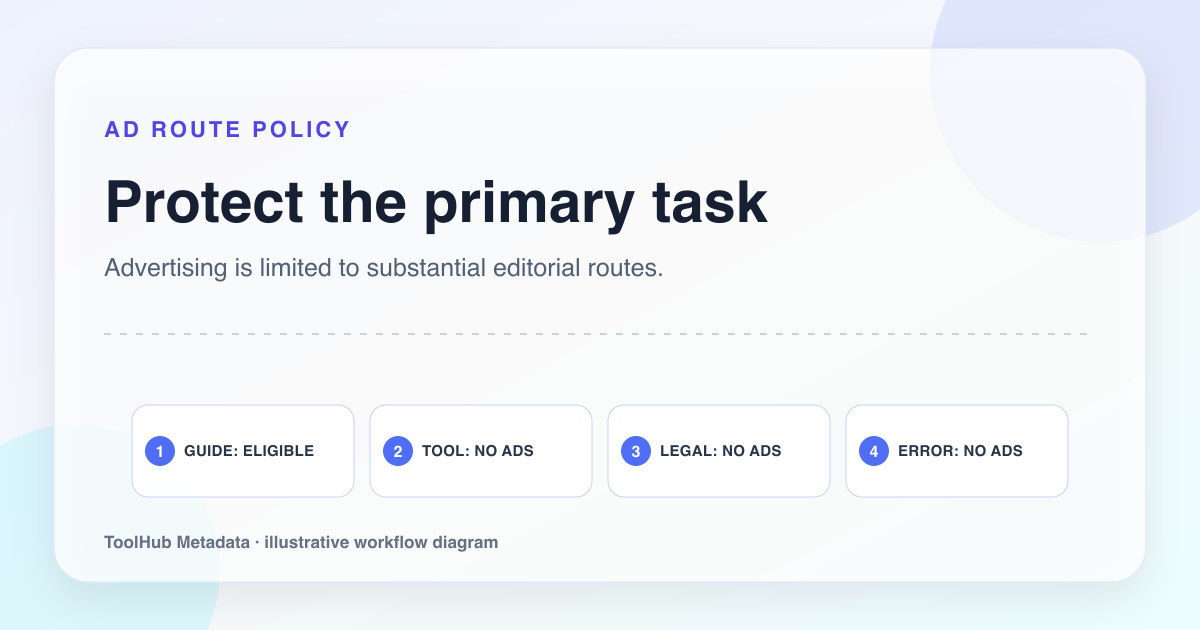
A site can prove AdSense ownership with the account meta tag and ads.txt while limiting the ad runtime to suitable content. The operational boundary should be explicit and testable: substantial editorial pages may be eligible, while tools, policy pages, navigation surfaces, and errors remain excluded.
This distinction matters because policy pages that say no ad-related technology loads on tool pages can become inaccurate if the global script is present. Accuracy is safer than overpromising.
- Verification script: loaded in the head across routes.
- Visible placement: ad slot or Auto Ads behavior that users can see.
- Tool workflow: controls, output, previews, copy buttons, and validation feedback.
- Disclosure: policy pages explaining third-party services and cookies.
Protect the primary task
The user came to complete a task. Ads should not push the tool below the fold, cover form fields, interrupt generated output, or appear where a user might mistake them for a button. Tool pages should prioritize reliability, speed, and clarity.
If automated ad placements are enabled, review how they behave on the generator and policy pages. Use platform controls to exclude pages or areas when placements interfere with the experience. The technical site can still keep the global script while placement policy remains conservative.
Tool page placement rule
Allow ads to appear anywhere Auto Ads chooses, including around form controls.
Keep visible ads out of the generator workflow and reserve placements for guide and example pages where reading flow can absorb them.
Make disclosures match implementation
Privacy and cookie pages should mention the services actually loaded: AdSense, Google Analytics if used, Google Fonts, hosting, and email contact. If a service is removed, update the policy. If a new service is added, update the policy before promoting the changed site.
The most important standard is not legal complexity. It is truthfulness. A reviewer should be able to compare the HTML head and the policy pages without finding obvious contradictions.
Monitor after ad serving starts
Ad behavior can change as automated placement systems learn the site. After ad serving starts, review core pages on desktop and mobile. Confirm that ads do not overlap navigation, cover content, or cause accidental clicks. Keep screenshots or notes if you make placement exclusions.
A conservative ad approach may earn less at first, but it protects the tool experience and reduces policy risk.
Pre-publish checklist
- AdSense script presence is documented accurately in privacy and cookie pages.
- Visible ad placements do not interrupt the generator workflow.
- Policy pages list analytics, measurement scripts, advertising, fonts, and email contact behavior.
- Automated placement exclusions are considered for tool and legal pages.
- Desktop and mobile pages are reviewed after deployment and after ad serving starts.